Palia Interactive Maps & Locations

Palia Interactive Maps

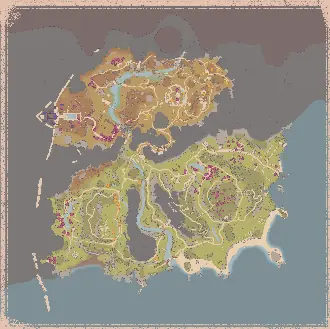
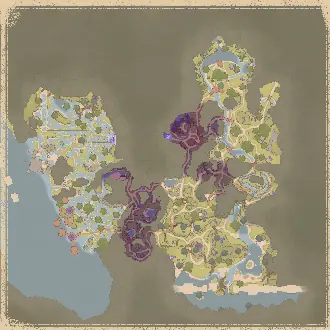
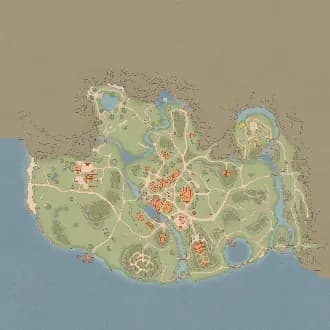
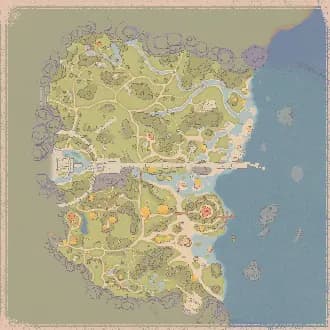
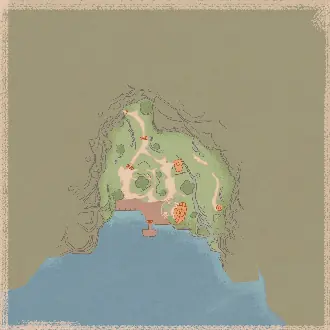
Explore Royal Highlands Map, Elderwood Map, Kilima Village Map in Palia with Rummage Pile, Plushies, Elderwood, plus more locations brought to you by The Hidden Gaming Lair!

11
Maps
31,664
Locations
May 20, 2026
Last Updated
In-Game Companion AppLive overlay with player tracking and auto-discoveryGet it free โ†’View all 11 maps โ†’
Get ADโ€‹ Free

Looting ads... ๐Ÿ’ฐ

Website Updates

Wednesday, May 20, 2026

Enable all variants โ€” one-click toggle

Click the gear icon next to any filter and you'll see a new Variants section above the size slider. One click enables (or disables) every variant of that entity at once โ€” base, starred, infected, amber-encased, masked, royal, magical, and every size โ€” across all the rarity subgroups they live in. Filters without variants (landmarks, campsites, etc.) hide the button so the popover stays clean.

So opening the gear on a single Gold ore filter lets you flip the whole "Gold across all sizes plus their amber versions" set with one click, and opening it on a Flame Queen lets you flip Flame Queen + Starred Flame Queen + their infected versions in one go. The "All / None" buttons at the group level still work the same.

Royal Highlands intro campsite pile

The introductory campsite in the Royal Highlands has a persistent rummage pile that doesn't rotate with the daily 2-of-10. It now shows up on the map under Timed Events โ†’ Campsite Pile (Intro), always visible regardless of live mode โ€” distinct from the regular Campsite Pile filter which still tracks the daily rotation.

Per-category icon size slider works now

Setting the icon size on a top-level category (e.g. opening the gear next to "Fishing" and dragging to 2.5x) used to do nothing โ€” only the per-rarity subgroup sliders had any effect. Both layers now work, and they multiply together with the per-filter slider, so you can do "all fishing 1.5x bigger, but legendary fish another 2x on top".

Wednesday, May 13, 2026

Amber Echo

Royal Highlands has a runtime "amber shell" mechanic that encases ores, bugs, plants, trees, fishing spots, and small creatures. Breaking the shell takes a few hits with any pickaxe and exposes the underlying item.

We now show the shell as its own marker, in a new top-level Amber Echo filter group alongside the inner item:

  • Bug Amber / Fishing Amber
  • Forage Amber (S / M)
  • Hunting Amber โ€“ Rabbit / โ€“ Sernuk
  • Mining Amber (L / M / S) with the same red/yellow/green size circles as the regular mining filters
  • Tree Amber (L / M / S / XS) โ€” the XS slot covers Saplings

Toggle the whole group off to hide every amber shell at once, or pick individual sub-filters when you're hunting specific categories. The inner content (e.g. amber-encased Iron, amber-encased starred Mossy Moth, amber-encased Royal Birch) still renders as its own marker under its normal filter โ€” so an amber-starred-moth will show two markers at the same position: one under Bugs (Starred Mossy Moth) and one under Amber Echo (Bug Amber).

I hope this solution is working well for everyone. Please give me feedback.

Wednesday, May 13, 2026

New filters / cleanup

  • Amber Echo is now its own filter for each skill (Mining, Lumberjacking, Foraging, Bugs, Hunting) โ€” works just like Star Quality / Echo Infected. Toggle it independently per skill. If this is not useful, we can drop these additional filters later.
  • Mining is now its own filter category (Mining / Mining - Amber Echo).
  • Masked and Royal variants got a colored badge indicator (purple domino mask, gold crown) โ€” same idea as the Infected dot.
  • Masked / Royal naming flipped to suffix style: "Elder Sernuk - Masked" and "Elder Sernuk - Royal" (was "Masked Elder Sernuk"). Translated for all 10 locales.
  • Filter sort order: Legendary bugs are now at the top of Bugs (above Epic). Masked / Royal variants in Hunting now sort before Infected.

Amber Echo coverage fixes

  • Amber-encased ores (Iron, Copper, Stone, Jadiumโ€ฆ) now show โ€” previously only Gold did.
  • Amber-encased trees (Ashwood and others) now show โ€” previously only Elderwood did.
  • Same fix applied to foraging.

Live mode fixes

  • Ancient Wood (Elderwood) trees now display proper tree icons โ€” was showing a fallback wood-plank icon.

Campsites (Royal Highlands)

  • Campsite icon now has an orange outline so it's easier to spot against the tile background.
  • Live Mode enabled โ€” only the 2 currently active campsites render (out of 10 daily spawn anchors). When Live Mode is off, all 10 anchors remain visible.
  • Anchor count corrected from 14 โ†’ 10 (Hope this is right now)

Campsite Rummage Piles (new)

  • New Campsite Pile filter under Timed Events, with its own AZ3 rummage-pile icon.
  • Tracked live via THGL App and Overwolf โ€” the 2 active piles each day light up automatically, and the marker is filtered out once the pile is looted.
  • The Rummage Pile page now has a Royal Highlands tab that works exactly like the Kilima / Bahari / Elderwood tabs โ€” live positions, "Live โ€ข N minutes ago" status, falls back to "All Locations" if nothing has been reported yet.
  • Note: campsite piles rotate once per real-world day at 12:00 server time - I am not sure if this leads to additional issues right now. Give me feedback here please.
  • Pile markers now render on top of stable / location markers on the rummage-pile page.
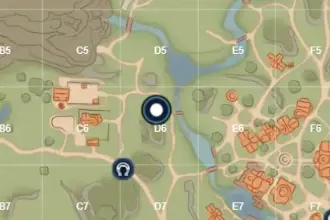
  • Grid overlay (Aโ€“K ร— 1โ€“11) added to the Royal Highlands tab.

Auto map switch

  • Map now switches to Royal Highlands automatically when you cross the zone boundary (was stuck on Elderwood for some players).

Thanks for the bug reports and the patience โ€” keep them coming, especially anything missing on AZ3.

Tuesday, May 12, 2026

Palia Map Update - Patch 0.202 (The Royal Highlands Expansion)

  • Added the Royal Highlands as a brand new interactive map
  • Added Campsites to map and Rummage Pile page
  • Added Mask Vaults
  • Added Flow Sparks
  • Added Amber Echo Store (Subira) and Enfield Artifact Store (Eshelon)
  • Added Eshelon to NPC/villager data
  • Added new filter types: Jadium Ore (S/M/L), 12 new insects (Banshee Beetle, Shadvaraak Beetle, Blue/King Crab, Amber/Jewelled/Heartdrop Mantis, Mossy/Phoenix/Whispering Widow Moth, Flame Queen, Kitsuu Moth), 21 new fish (Enfield/Kestra/Dart Eel, Amber Moray, Highland/Ragdoll/Copper Sturgeon, Muddy/Major/Heather/Fairy Manta, Highland Swiftscale, Lesser Snakehead, Ooh Baracude, Sillyfin, Royal Betta, Jade Koi, Green Anchovy, Charged Cardinal, Highland Floatfish)
  • Added new foragables: Dawnspur Lily, Royal Heather, Golden Fern, Royal Wisteria (separate filter types โ€” previously aliased to Sundrop Lily)
  • Added new lumber types: Lantern Ashwood, Royal Birch
  • Added /guides link to the top navigation across all THGL sites
  • Fixed breadcrumb "Home" link pointing to /undefined

Live spawn positions for the new gatherables (bugs, fish, foraging, mining) will populate over time.

Please let me know if you face any issues as soon as the game servers are up and the new map is playable!

Monday, March 30, 2026

Major Layout Redesign

The header and navigation have been completely reworked across all platforms (Web, THGL Companion App, Overwolf) to maximize map area and create a consistent, streamlined experience.

Fewer Ads, More Map

  • Desktop: some ads are hidden when the filter sidebar is collapsed, giving you a cleaner map experience
  • Mobile: reduced from two ad containers (floating video + banner) to a single 320x50 bottom banner
  • "Get AD-Free" badge made more compact

New Header Layout (Web)

  • Replaced the left sidebar with a compact game switcher dropdown in the header
  • Social links (Discord, GitHub, Reddit) now sit inline in the header on desktop, and in the nav dropdown on mobile
  • Legal Notice, Privacy Policy, and Consent links moved into the nav dropdown on all screen sizes
  • Removed the Info button โ€” all its content is now in the nav dropdown
  • Settings and Account buttons use outline style for better visibility
  • Account icon changed from Heart to CircleUser for clarity

New Header Layout (THGL Companion App)

  • Streamlined to just Settings, Account, and a burger menu in the header
  • Hide Controls, Overlay/Desktop/Both toggle, and Live Mode always visible in the header on all screen sizes
  • Burger menu contains social links (Discord, GitHub, Reddit), Debug Snapshot, and legal links
  • CircleUser icon for account, consistent with web

New Header Layout (Overwolf)

  • Rebuilt header with own 32px design (no longer shares the 54px web header)
  • Game switcher with compact icon fits the smaller header
  • 2nd Screen Mode, Live Mode, and Hide Controls always visible
  • Settings and Account as outline buttons, burger menu for socials, debug, and legal links
  • Debug Actors button now a compact icon instead of full-width text button
  • "Show controls" hint text reduced for a cleaner overlay experience

Grouped Map Controls

  • Map controls (Compass, 3D, Zoom, Home) and action buttons (Whiteboard, PeerLink, Node, Drawing) are now compact grouped strips
  • On mobile, a single button opens a popover with all controls
  • Action clicks close the popover; map control clicks don't
  • Consistent 32x32px button sizes across all groups

Collapsible Filter Panel

  • Filters collapse on mobile by default for more map space
  • A floating "Filters" button appears when collapsed
  • Slide-in/out animation via CSS left positioning
  • Expand/collapse toggle for small/large filter mode on desktop

Marker Tooltip Improvements

  • Tooltips now render outside the map container (no longer clipped by overflow)
  • Works correctly in small overlay/minimap windows
  • Tooltip closes when hovering over UI overlays (controls, filters)
  • Tooltip won't open for markers hidden behind UI elements

New Map Renderer on Overwolf

Other Improvements

  • External nav links restyled as pill buttons with borders for better visibility
  • Locale switcher shows globe icon and highlights active language
  • Brand text shows full game name on large screens, "TH.GL" on medium
  • Mobile banner ad aligned to bottom-left
  • "Get AD-Free" badge made more compact
  • Removed unused dev-log utility
  • Cleaned up private-node debug logging

... and several more Bug Fixes

Looking for more updates? Check out our Discord Server for the most recent changes!

Get ADโ€‹ Free

Looting ads... ๐Ÿ’ฐ

Palia Interactive Maps & Locations